

The five phases
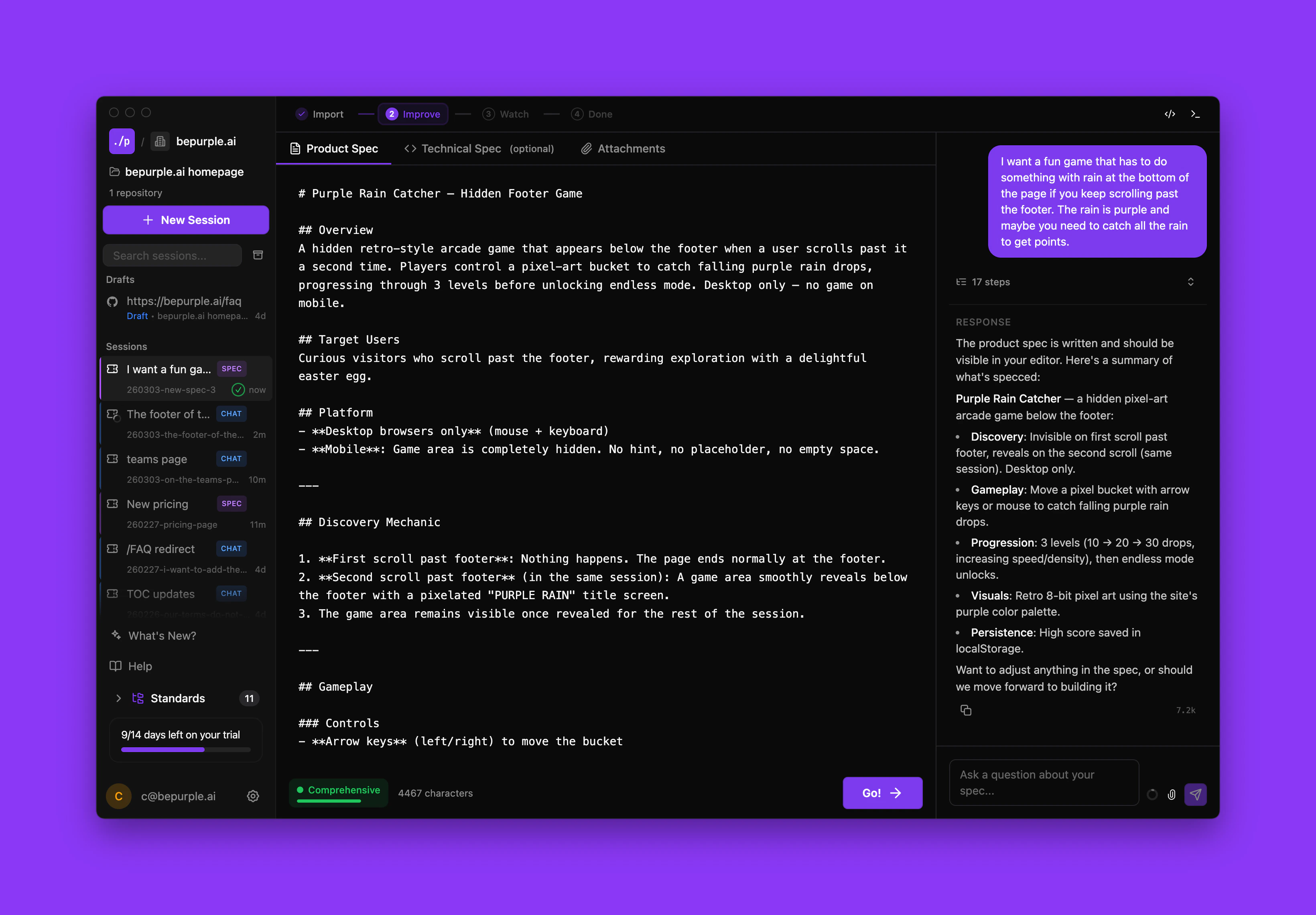
Getting started
To start a spec-driven workflow, create a new session in your workspace. You’ll see the import screen where you can upload your product spec or start from scratch with AI brainstorming. You can also use these slash commands to enter the workflow at any point:| Command | Description |
|---|---|
/build-from-spec | Run the full pipeline from spec to implementation to QA |
/import-spec | Import and validate a product spec |
/engineer-tasks | Generate an engineering plan from a product spec |
/orchestrate | Run parallel implementation of an engineering spec |
Feature folders
All specs and documentation are organized in feature folders within your workspace:YYMMDD-feature-name (e.g., 260206-user-auth-flow).
Skipping phases
The workflow is flexible. If you already have specs written, you can import them and jump ahead. p0 detects existing content and adjusts accordingly. You can also pause at any phase, make manual changes, and resume where you left off.The spec-driven workflow is designed for substantial features. For small tweaks and bug fixes, regular chat mode (Agent or Plan mode) may be more efficient.
Explore each phase
Phase 1: Import
Upload specs and visual references
Phase 2: Refine
Polish specs with AI assistance
Phase 3: Watch
Monitor AI implementation in real-time
Phase 4: Review
Review changes and create PRs
Phase 5: Post-PR
Track PRs and wrap up